
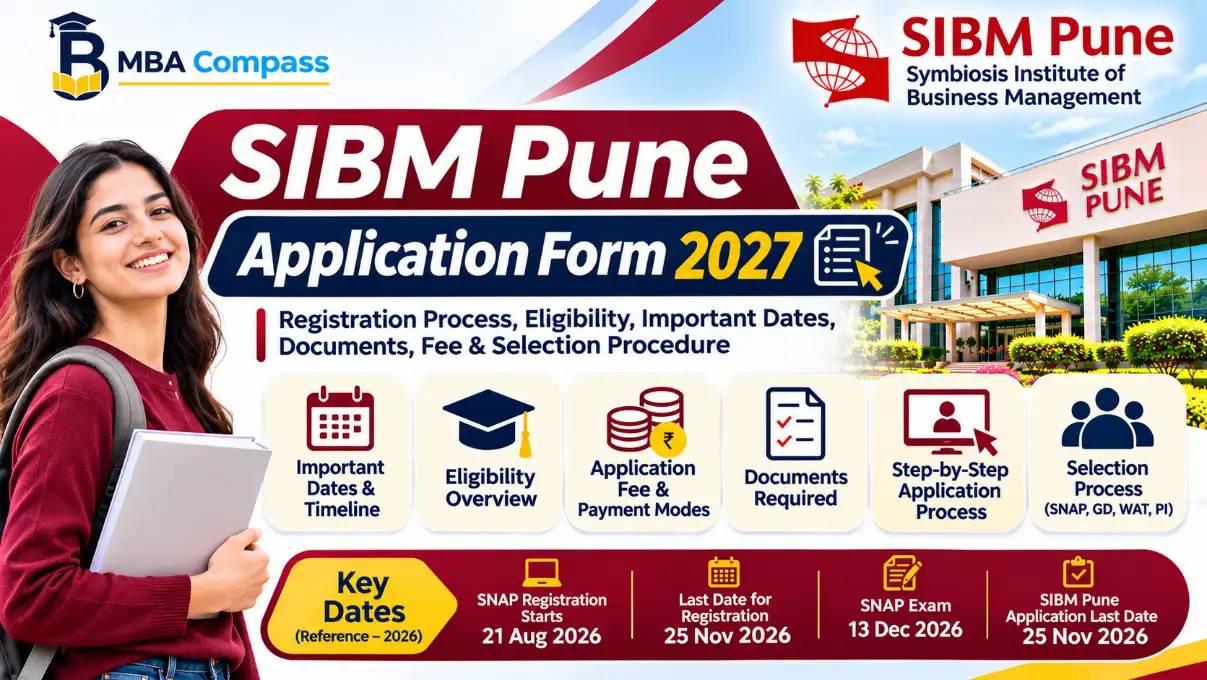
Quick answer: what this form covers
The SIBM Pune application form for the 2027 intake is the official online submission used to apply to Symbiosis Institute of Business Management, Pune for its flagship two-year MBA/PGDM-level programmes (all specialisations offered in the 2027 cycle). It collects candidate identification, academic history, entrance test scores, work experience details, category and reservation information, and choice of specialisation or programme stream; it also requires uploaded supporting documents and payment of the prescribed application fee to complete the submission.
This form is the first administrative step in SIBM Pune’s 2027 admission pathway: the institute uses submitted forms to verify eligibility, shortlist candidates on the basis of the accepted entrance test (as listed in SIBM Pune’s admissions policy) and invite shortlisted applicants to the subsequent selection stages such as group discussion, writing assessment and personal interview.
Completing the form accurately — including the correct entrance test score and category details — determines whether an applicant receives a shortlist call and is eligible for the institute’s selection process.
The online portal also provides status updates (application received, fee paid, under review, shortlisted) and issues electronic receipts for fee payment; applicants should retain these for future reference. Applicants who plan reservations or fee concessions must upload the relevant category certificates during form submission as the form captures reservation type and document uploads for verification during later stages.
The SIBM Pune application form is programme- and intake-specific for 2027; submit a single, complete form per programme before the published closing date to be considered for shortlisting.
Who should apply: eligibility overview
The SIBM Pune application form is for candidates who meet SIBM Pune's academic qualifications and the entrance test requirement used for the 2027 admission cycle. Eligible applicants should hold an undergraduate degree and have a valid entrance-test score accepted by SIBM Pune for 2027 admissions.
Below is a concise checklist presented in a table for quick verification before starting the online application.
| Field | Requirement | Notes |
|---|---|---|
| Academic qualification | Undergraduate degree (or equivalent) | Completed degree from a recognised university; professional degrees accepted per institute rules. |
| Minimum marks | As per SIBM Pune eligibility policy | Refer to the official admission notice for category-wise minimum percentages. |
| Entrance test score | Valid SNAP score | SNAP is the stated exam used for SIBM Pune admissions in the verified data set. |
| Final-year students | Provisional admission allowed | Candidates in final year/semester may apply but will need to provide degree proof by the institute-specified date. |
| Work experience | Optional | Relevant work experience may be considered in selection but is not a universal eligibility barrier. |
Interpretation: applicants must first confirm their undergraduate qualification and SNAP eligibility before filling the form; category-specific minimum marks and documentary requirements should be checked against the official SIBM Pune admission notice for 2027.
eligibility: Ensure you have a valid SNAP score and meet the official minimum-graduation criteria before starting the application; final-year students must be ready to submit degree proof when requested.
Also Read: SIBM Pune
Important dates and timeline 2027
The SIBM Pune application form timeline shows when applications open, close, the fee payment window and the stages of selection. Below table lists the standard events candidates must track for the 2027 intake; SIBM Pune publishes exact dates on its admissions portal and campus notices.
| Event | Date | Notes |
|---|---|---|
| Application portal opens | Official 2027 dates to be published | Register on the SIBM Pune admissions portal and create your account before filling the form. |
| Last date to submit application | Official 2027 dates to be published | Forms must be submitted and payment completed by this date to be eligible for shortlisting. |
| Application fee payment window | Alongside application period | Payment must be completed during the application process; retain fee receipt. |
| Shortlist announcement (GD/PI/WAT rounds) | After score declarations and portal close | Shortlisting is based on SNAP scores where applicable; watch the admissions portal for lists and calls. |
| GD/PI/WAT schedule | Staggered after shortlists | Dates vary by batch and category; attend the scheduled slot or request rescheduling per official policy. |
| Final admission offer and deadline | Following completion of GD/PI/WAT and document verification | Final payment and acceptance instructions will be listed in the offer letter. |
Interpretation: Candidates should register as soon as the portal opens, complete the form and pay the fee well before the listed last date. Expect shortlist and interview calls after your entrance test score is available; keep documents ready for verification.
deadline: Submit the SIBM Pune application form and complete payment by the portal deadline to remain eligible for shortlisting and GD/PI/WAT.
Application fee and payment modes
The SIBM Pune application form carries an application fee that applicants must pay online at the time of submission. The official total programme fee for SIBM Pune is INR 26.2 lakh (total), as recorded in the verified data sheet; the application fee itself is a separate, smaller charge that must be paid through the institute's application portal (specific application-fee amount for the 2027 cycle is not published in the verified dataset provided).
Because the verified database does not list the exact 2027 application-fee amount or an official refund policy, candidates should pay via the secure online gateway on the SIBM Pune portal and retain transaction receipts. Typical accepted payment methods on similar B‑school portals include debit/credit cards and net banking
Below is a short table describing what is recorded and what applicants must verify on the portal at payment time.
| Fee type | Amount | Payment modes | Refund policy |
|---|---|---|---|
| Programme fee (total) | INR 26.2 lakh | — (paid to institute after admission) | Refer institute admission offer |
| Application fee | Not specified in verified data | Card/Netbanking/UPI (portal-disclosed) | Not specified in verified data; retain receipt |
Practical interpretation: confirm the exact application fee amount and accepted payment modes on the SIBM Pune application portal before paying; keep screenshots and the payment receipt. If you need the programme fee and course page, see the institution entry for SIBM Pune for official programme-fee context.
caution: The verified dataset lists the SIBM Pune total programme fee but does not publish the 2027 application-fee amount or refund policy; always confirm these details on the official application portal before payment.
Step-by-step online application process
Follow these steps on the SIBM Pune application portal to complete the 2027 application: create an account, complete the form, upload documents, pay the application fee and submit. Use the official portal at SIBM Pune for all actions.
- Create an account. On the portal landing page click 'Register' or 'New Applicant'. Provide name, email and mobile number. Verify your email or OTP immediately; the portal will lock a half-completed session after inactivity.
- Login and start application. Use the registered email and password to sign in. Begin the 2027 application form and note the application reference number shown on-screen; save it for future communication.
- Fill personal and academic details. Enter date of birth, category, qualifying degree details, graduation year and percentage/CGPA. Use consistent spellings and match the name exactly as on your certificates to avoid verification delays.
- Enter entrance exam information. Provide your test name and score/registration details as applicable for shortlisting.
- Upload documents. Attach a recent passport-size photo, scanned signature and required academic certificates. Follow on-screen file-type and size instructions carefully; incomplete or incorrectly sized files commonly cause rejections.
- Pay application fee. Proceed to the payment page and complete the application fee transaction using the available online methods (netbanking/debit/credit). Keep the transaction reference and download the fee receipt or acknowledgement PDF immediately.
- Review and submit. Preview the entire application, correct any typographical errors, then submit. After submission, the portal will display a final confirmation and allow PDF download of the submitted form.
ACTION REQUIRED: Keep soft and hard copies of the submitted form and the payment receipt; you will need them at the document verification stage.
UI tips: use Chrome or Edge, clear cache if uploads fail, and ensure images are within the portal's size limits before uploading.
Documents required and upload specifications
The SIBM Pune application form requires applicants to upload a set of documents used for identity, academic verification and category/reservation proof. Below is a concise table of the usual documents and the file-format and size rules you must follow on the portal.
| Document name | Required/Optional | File type | Max size | Notes |
|---|---|---|---|---|
| Passport-size photograph | Required | JPEG/PNG | 100 KB | Recent, colour, white/light background; face centred |
| Candidate signature | Required | JPEG/PNG | 50 KB | On white paper, scanned; use pen signature only |
| 10th / SSC marksheet or certificate | Required | PDF/JPEG | 200 KB | Scanned copy showing name and DOB |
| 12th / HSC marksheet or certificate | Required | PDF/JPEG | 200 KB | Scanned copy showing qualifying status |
| Graduation marksheet / degree | Required | PDF/JPEG | 300 KB | All available semesters; provisional degree allowed if final degree not issued |
| Category / Caste certificate (if applicable) | Optional | 200 KB | Must be government-issued and valid |
Practical interpretation: upload clear, upright colour scans with text legible at 100% zoom. Rename files with descriptive short names (for example: Lastname_Firstname_Photo.jpg) before upload. Use the portal’s preview to confirm orientation and cropping; rejected uploads are commonly due to large size or low resolution.
Also prepare soft copies of your valid photo ID (Aadhaar/PAN/Passport) and CAT/XAT/SNAP scorecard to present during later admission stages; these are not always required at initial submission but keep them ready as PDF/JPEG under 200 KB each.
Also Read: Symbiosis Institute of Business Management Pune
Editing, corrections and duplicate applications
Applicants can correct certain fields on the SIBM Pune application form before final submission; corrections after final submission are restricted and handled case-by-case by the admissions office.
To change data before submission, log in to your application account, open the saved form and edit the relevant fields. Save changes and complete the payment and final submit steps again. Do not create a new account to avoid duplication.
caution: Once you click Submit and complete payment, the form is treated as final; edits after this point require written/email requests to SIBM Pune admissions and are not guaranteed.
If an applicant discovers an error after submission (for example, incorrect academic detail or date of birth), email the admissions helpdesk with the application number, a clear description of the error and scanned supporting documents. Keep subject lines precise: Application correction request — Application No. [your number]. Retain the payment receipt; do not pay again unless instructed.
SIBM Pune treats multiple active applications as duplicates. If you submit more than one application for the same programme, the admissions office typically considers only the latest correctly completed form; however, the applicant should immediately contact the helpdesk to confirm which application will be processed. Include both application numbers in the message.
Resubmission rules: if the portal allows re-uploading documents before the deadline, use the update option in your account. If the portal shows no edit option, request assistance from the admissions office with document proofs. Keep copies of all communication and the amended documents.
Administrative corrections (category change, name correction as per supporting ID) will require scanned original certificates and may need notarisation or an affidavit depending on the document; follow the admissions team's instructions precisely.
Also Read: SIBM Pune
Common errors and troubleshooting
Most submission problems with the SIBM Pune application form arise from payment failures, incorrect file uploads, or session timeouts. Below are typical issues and concise fixes.
- Payment failure: If the transaction is declined, check card details, available balance and OTP. Retry using a different card or the net-banking/UPI option supported on the portal. Save the transaction reference and screenshot of any error message; contact the admissions office if the amount was debited but the application shows unpaid.
- File size or format rejected: Ensure uploaded files match required formats and size limits specified on the portal. Compress images to the allowed size and convert documents to PDF where required. Rename files avoiding special characters.
- Photo/signature not accepted: Upload a clear, recent passport-style photo and a scanned signature on white background. Ensure resolution and dimensions meet portal instructions; crop unnecessary borders and keep file sizes within limits.
- Session timeout or form reset: Complete long text fields offline and paste into the form. Use a stable internet connection and a modern browser. Save draft if the portal provides a save option, and avoid multiple tabs during submission.
- Duplicate submissions: Avoid creating multiple accounts. If a second application was created accidentally, reach admissions with both application IDs for guidance; pay attention to the portal's statement on multiple applications.
- No payment receipt or confirmation mail: Check spam/junk folders and the portal's application dashboard first. If missing after 24–48 hours, provide transaction evidence to the helpdesk for reconciliation.
Below is a short checklist you can run before final submission to reduce errors.
- Verify personal and academic details match certificates.
- Confirm uploaded files open correctly on another device.
- Note down your application ID and payment reference.
- Use official contact details for dispute resolution.
Selection process after application
SIBM Pune uses a stage-wise process after receiving the SIBM Pune application form: candidates are shortlisted on the basis of their entrance scores, then assessed through group discussion, personal interview and a written assessment, and finally ranked for offers.
Shortlisting is based primarily on the score(s) you declared in the application. Applicants who applied with the institute's accepted test score are evaluated for a shortlist; the institute publishes shortlist criteria and lists for each round during the admission timeline. Shortlisted candidates receive an invitation for the next stage.
- Group Discussion (GD) / Written Ability Test (WAT): Shortlisted applicants typically attend a GD or WAT designed to assess communication, clarity of thought and topic knowledge. WAT topics are usually current-affairs or business-scenario prompts.
- Personal Interview (PI): The PI evaluates academic background, work experience, motivation and fit. Panels may include faculty and industry members. Performance across GD/WAT and PI contributes to the final score.
- Final selection and offer: The institute combines the entrance test score, GD/WAT marks, PI marks and any additional criteria (as published in the admission brochure) to create a final merit list. Admission offers are issued to candidates in rank order until programme seats are filled.
SIBM Pune communicates stage-wise schedules (shortlist publication, GD/PI/WAT dates and final admission notifications) through its admissions portal and official notices during the 2027 admission cycle. For applicants using reserved-category documentation, ensure you upload and carry the required proofs at the interview stage as per the institute's published instructions.
Also Read: Symbiosis Institute of Business Management
Contact, helpline and official links
For queries about the SIBM Pune application form, contact the SIBM Pune admissions office during office hours for application‑portal support, fee payment clarifications and document queries.
Below is a concise contact table showing where to get help and when to use each channel.
| Contact type | Details | When to use |
|---|---|---|
| Admissions office (official) | SIBM Pune - Official contact page | Questions on eligibility, programme queries, application status |
| Application portal helpdesk | Use the portal's "Contact/Help" or support link shown after login | Technical issues: account creation, document upload errors, payment failures |
| Fee payment gateway support | Contact details shown on payment confirmation pages and receipts | Failed payments, duplicate charges, refund queries |
| Document verification / admissions office email | Admissions office email provided on the official contact page | Submission of additional documents, category certificate queries |
Use the official admissions page link above first; it centralises the phone number, office address and the admissions e‑mail. If the application portal displays an in‑built help or support ticket option after you log in, raise a ticket there for technical problems—the portal ticket creates a timestamped record that admissions staff reference during verification.
For payment concerns, retain the payment transaction ID and UPI/Netbanking/ card receipt and contact the payment gateway support as shown on your bank or gateway receipt; also forward the receipt to the admissions e‑mail with your application ID. For document or reservation clarifications send scanned copies of certificates with a short covering note to the admissions e‑mail; keep originals ready for later verification.
Important Points
- Complete eligibility check before starting: confirm you meet the published academic and entrance-acceptance criteria for SIBM Pune before filling the SIBM Pune application form.
- Use an active email and mobile: register with an email and phone number you access daily; all correspondence, shortlists and fee receipts are sent to them.
- Keep required documents ready: scanned copies of photograph, signature and category or qualifying-degree certificates must match the portal specifications when uploading.
- Follow upload formats and sizes: upload files only in the portal-allowed types and within size limits to avoid rejection during submission.
- Pay the exact application fee on the portal: complete the online payment in one session and save the transaction receipt; check the portal for accepted payment modes before attempting payment.
- Note application deadlines: submit the completed form and pay the fee before the last date for the 2027 cycle; late submissions will not be accepted.
- One active application per candidate: do not create multiple live accounts or submit duplicate SIBM Pune application form entries; duplicates may be rejected during verification.
- Review before final submit: preview all fields and uploads; once submitted you may have only limited editing options as per the portal rules.
- Keep originals for verification: carry original mark sheets, degree certificates and identity proof to GD/PI/WAT or final admission stages as required.
- Save all receipts and confirmations: download and securely store application confirmation, payment receipts and the final submitted form PDF for future reference.
- Contact admissions for unresolved issues: use the official admissions helpline or email shown on the SIBM Pune portal if you encounter technical or payment problems.
update: check the SIBM Pune application portal for the official 2027 dates and any procedural changes before you apply.
Also Read: Symbiosis Institute of Business Management Pune
Important Points
- Application window Apply using the SIBM Pune application portal within the published dates; missing the deadline disqualifies candidature.
- Eligibility Applicants must meet the academic and entrance-test requirements specified by SIBM Pune for the 2027 intake before applying.
- Application fee Pay the non-refundable application fee by the portal’s supported modes to complete submission.
- Document uploads Prepare clear scans of identity proof, degree/marksheets, photograph and signature in the required file types and sizes before uploading.
- Edits and duplicates Edit options are limited after submission; do not submit multiple forms unless the portal explicitly permits duplicates.
Take the next step: Start your MBA journey today by exploring colleges that fit your profile and finances. Use the College Shortlister, run your profile through the Profile Analyzer, and estimate programme ROI with the MBA ROI Calculator.
Similar Colleges to Check
Compare these colleges alongside SIBM Pune Application Form 2027 before you finalise your shortlist.
| College | What to compare |
|---|---|
| SIBM Pune | Fees, cut-offs and placements |
| SIBM Pune | Fees, cut-offs and placements |
| SIBM Pune – Symbiosis Institute of Business Management | Fees, cut-offs and placements |
| SIBM Bengaluru | Fees, cut-offs and placements |
| SIBM Bengaluru – Symbiosis Institute of Business Management | Fees, cut-offs and placements |
| SIBM Hyderabad | Fees, cut-offs and placements |
| SIBM Nagpur | Fees, cut-offs and placements |
Related Reads
Frequently Asked Questions
Can I edit the SIBM Pune application after submission?
You may be able to edit certain fields before the final submission or within a limited correction window if the SIBM Pune portal allows it; official policy varies by cycle. Check the portal’s instructions and contact admissions immediately for post-submission corrections.
What is the SIBM Pune application fee and refund policy?
The SIBM Pune application fee must be paid online through the portal’s available payment modes and is generally non-refundable. Confirm exact amount and refund rules on the official application page for the 2027 cycle.
Can I submit multiple SIBM Pune application forms?
Submitting multiple applications is usually discouraged and may lead to cancellation of duplicates. Use one complete, accurate form; contact the admissions office if you believe a second submission is necessary.
What documents must I upload for the SIBM Pune application form?
Required uploads typically include a passport-size photograph, scanned signature, identity proof, degree certificate or provisional certificate and mark sheets. Follow portal file-type and size requirements strictly.
When is the last date to apply for SIBM Pune 2027?
The official last date for SIBM Pune applications is published on the SIBM Pune admissions portal each cycle. Check the portal for the 2027 deadline and apply before that date to avoid disqualification.
Conclusion
Completing the SIBM Pune application form requires careful preparation of eligibility documents, accurate entry of academic and entrance-test details, timely payment of the application fee and adherence to upload specifications. Follow the portal’s step-by-step flow, verify all fields before submission and keep receipts and confirmations for selection-stage communication. Early preparation reduces last-minute errors and improves chances of a smooth admission process for the 2027 intake.
About MBA Compass
MBA Compass is an MBA discovery and decision platform produced by B School Buzz that helps Indian students and working professionals plan postgraduate management study. The site provides tools to shortlist colleges, analyse candidate profiles and compare programmes side-by-side, with an emphasis on decision-critical metrics such as fees, return on investment and expected salary bands.
For applicants who prioritise financial planning, MBA Compass highlights programme fees, likely ROI scenarios and long-term wealth implications alongside typical placement ranges so users can make financially informed choices. The platform also offers mock tests and practical admission checklists to prepare candidates for application and selection stages.
Explore tools to begin shortlisting and financial planning: MBA Compass, College Shortlister and Profile Analyzer.